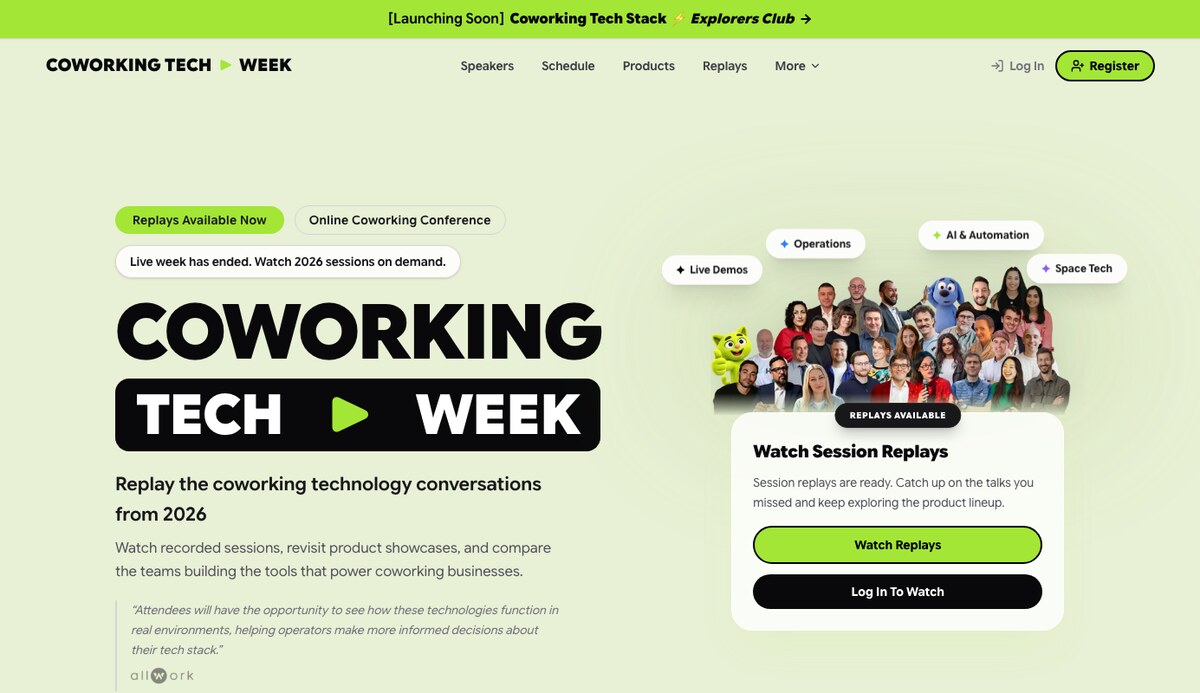
A friend recently asked me what software I use to run Coworking Tech Week. Simple question. The answer turned into a small essay — because the platform did not start as a platform at all. It started as a need for a livestream.
What exists today — registration, access control, dual-provider streaming, recorded sessions, exhibitor pages, email tooling, partner analytics, hardware redundancy — is the result of multiple different projects over roughly six years, each one solving a specific problem and teaching me enough to attempt the next. No single project was planned as “the event platform.” I arrived at it sideways, one event and one technical constraint at a time, as a self-taught developer working mostly solo.
A YouTube Embed and a Spreadsheet
The first online event I produced had the simplest possible setup. A static HTML, CSS, and JavaScript site hosted on Netlify. A Google Sheet and some Apps Script for managing content. StreamYard pushing a stream to YouTube. The YouTube embed on the page. Comments moderated through the spreadsheet.
That was it. No accounts, no database, no access control. Just a webpage with a video and a shared Google Sheet acting as a lightweight CMS. It worked. At that stage, getting the event to happen mattered far more than owning the infrastructure.
Learning Production with OBS
The next project, Hack Coworking, raised the bar. I introduced OBS to the production workflow, which gave me two cameras, custom scenes, and a branded stinger animation between sessions. The event stopped feeling like a Zoom call someone had screen-shared and started to feel like an actual broadcast.
Around the same time, I swapped Google Sheets for Airtable and tested Cloudflare as a streaming provider. Cloudflare offered more infrastructure control, but the stream quality was less consistent than YouTube at the time. It also displayed the viewer count on screen — a small detail, but the kind of thing that chips away at a branded experience. When you are trying to create a polished event, even minor UI decisions from a third-party tool can undermine the feeling you are building.
These were useful experiments. I did not yet know they would matter later.
A Real Database and Access Control
The next leap happened on a different product entirely. I connected a MySQL database to the Coworkies dashboard through an API and built automatic synchronization with Eventbrite. Registered attendees could now log in, access the stream, and participate in a proper comment system — all with their own accounts.
A version of this setup still runs today on CoworkiesBook.com.
This was the inflection point. The project stopped being “a website with an embedded video” and started becoming a surface where registration, access, content, and audience activity lived together. I could feel the shape of a product forming, even though I had not set out to build one.
Moving to Next.js
The move to Next.js was less about a single event and more about recognizing that the complexity had outgrown static pages and script-tag integrations. Next.js gave me a real application framework: dynamic routing, reusable components, server-side logic, and the ability to build distinct experiences for different roles — attendees, speakers, exhibitors, partners, administrators.
This was also where the work shifted from web development to product thinking. Each role had a different job to do inside the platform, and the interface had to make those jobs obvious. An exhibitor needed to see their analytics. An admin needed to push the program forward. An attendee needed to find the live session. These are product design problems, not frontend problems.
Building Coworking Tech Week
Everything I had learned across those earlier projects — streaming experiments, database-backed access control, multi-role interfaces, branded production workflows — converged when I built the platform for Coworking Tech Week.
The data layer moved to Supabase. The site initially went on Netlify. And the central design goal was one I had been circling for years: manage the entire event from a single admin interface without touching the codebase during the broadcast.
Coworking Tech Week does not stream continuously. We move between live sessions, breaks, recorded videos, sponsor content, and static slides throughout the day. In earlier iterations, each transition required manual editing. I wanted those transitions to happen from a control panel — instantly, with no deploy, and with a polished visual handoff for the audience.
The admin panel now pushes content states directly to the /live page: a YouTube livestream, a YouTube recording, a Cloudflare livestream, a Cloudflare-hosted video, a static image or slide, or a no-stream holding state. When we switch between them, viewers see a branded stinger animation of the logo and event graphics instead of a hard cut. Recorded sessions get added to the platform immediately after a broadcast ends, so the transition from live programming to on-demand content takes minutes, not hours.
The Weekend Rebuild
A few days before the event, I made a decision that was either bold or reckless, depending on how you look at it.
I moved the entire platform from Netlify to Cloudflare Pages and Workers. The reasoning was sound: lower latency, faster page delivery, integrated streaming and video recording all in one environment, and tighter alignment between the site and its video infrastructure. In practice, this meant rebuilding the platform over a weekend.
Cloudflare Workers have bundle-size limits. That introduced deployment constraints I had not fully anticipated, and those constraints came back to bite me during the live event.
But here is where years of production experiments paid off. Because I had tested both Cloudflare and YouTube for streaming across earlier projects and different events, I had built the platform to support dual-provider streaming. When the Cloudflare setup hit problems during the broadcast, we switched the live page to YouTube within seconds and continued the program. The audience never knew.
That redundancy — born from years of small failures and workarounds across completely different projects — saved the day.
Hardware Has No Pause Button
Software redundancy only covers half the risk surface. A live event also needs to survive internet failures, power outages, and computer crashes.
My hardware setup runs on the same principle as the streaming architecture: no single point of failure. Two separate internet connections, with a hard-wired LAN as the primary. A UPS keeping the network and essential gear running through power interruptions. A MacBook Pro with its own battery as the main production machine. A Mac mini standing by as a backup, already logged into StreamYard and ready to take over.
During Coworking Tech Week, we had a five-minute power outage. Power outages are extraordinarily rare here, which of course means one happened mid-broadcast. The MacBook stayed online through its battery, the backup internet held, and the audience did not need to know anything was happening behind the scenes.
A live event has no pause button. You prepare for failure before the program begins, or you deal with it in front of your audience.
Where It Stands Now
The Coworking Tech Week stack today is Next.js, Supabase, two Resend accounts, a Postmark email backup, Upstash, Cloudinary, Cloudflare Stream and Videos, GitHub Actions for deployment, and Remotion for generating animated assets.
The platform handles registration, attendee access control, live broadcasting with real-time state management, recorded session publishing, exhibitor and partner pages, demo request tracking, and a full email system with templates and individual or bulk messaging for exhibitors, attendees, speakers, and newsletter subscribers. Each participating company gets its own analytics page showing profile views, content interactions, and demo requests.
It is a complete online conference platform — custom domain, custom database, and all the operational tooling an event needs before, during, and after the broadcast.
Could This Become a Product?
I get asked this more often now. The honest answer is that I built it to solve the specific needs of Coworking Tech Week, but it has reached a point where the core of it could serve other conferences.
An organizer could launch a fully branded event on their own domain, manage attendees and partners from one admin interface, control the live program in real time, publish recordings, send event communications, and hand sponsors a dashboard with measurable results. There are established tools for individual parts of that workflow. What does not really exist is a single, adaptable platform that ties all of them together under one branded experience.
That is also how I think about the work I do for clients. The best digital products rarely come from adopting a generic SaaS workflow. They come from understanding how an organization actually operates and building a focused platform around that reality.
If you need someone who can move between strategy, UX, full-stack engineering, infrastructure, and launch operations, I offer fractional product and platform engineering services for teams that need senior product execution without hiring a full-time product or engineering leader.
The original question was just: “What software do you use?” The honest answer is that I built most of it — one event, one project, and one technical problem at a time.